StudioThe Quip StripNow playing

>_ Note · UX

In a rush

July 14, 2026 Bartolomeo D’Alia

Copied text and nowhere to put it: the silliest annoyance in the world, taken with the reflex of someone who thinks he’s a UX designer too. Out came a micro-utility.

The origin

A three-second annoyance

If I had a penny for every time I copied some text without really knowing where to put it, I’d be rich by now.

It’s the silliest annoyance in the world. You’ve got something on the clipboard — a couple of lines, an address, a snippet of code, a stray thought — and to save it you have to open an editor, or keep some app parked open, or install yet another utility that does a thousand things when you only needed one. All that ceremony for a three-second gesture.

The problem was nothing. Then my professional deformation kicked in: I’m a developer who thinks he’s a UX designer too, and instead of just putting up with the annoyance like everyone else I asked myself — if I had to tackle it, how would I solve it?

That’s how Vakepress was born. Read the Neapolitan way it means «I’m in a hurry»: exactly the state of mind it came out of.

Right-click, right where I am

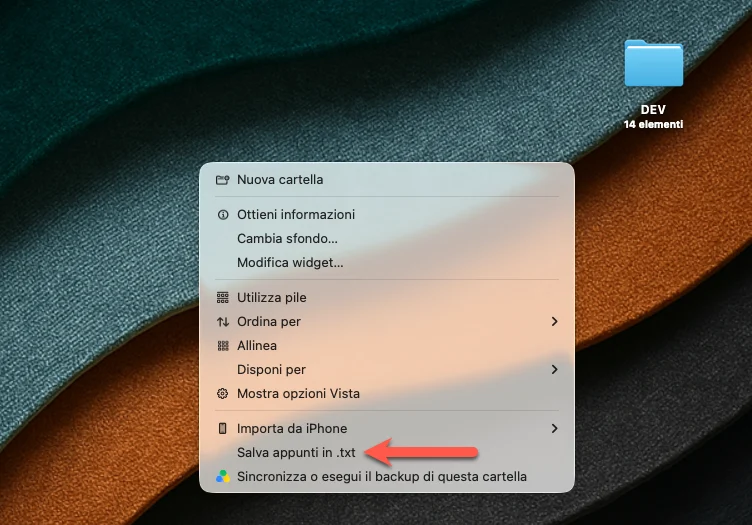
I’ve got some text on the clipboard. Right-click — on the desktop, inside any Finder folder, in File Explorer — and among the options there’s «Save clipboard to .txt».
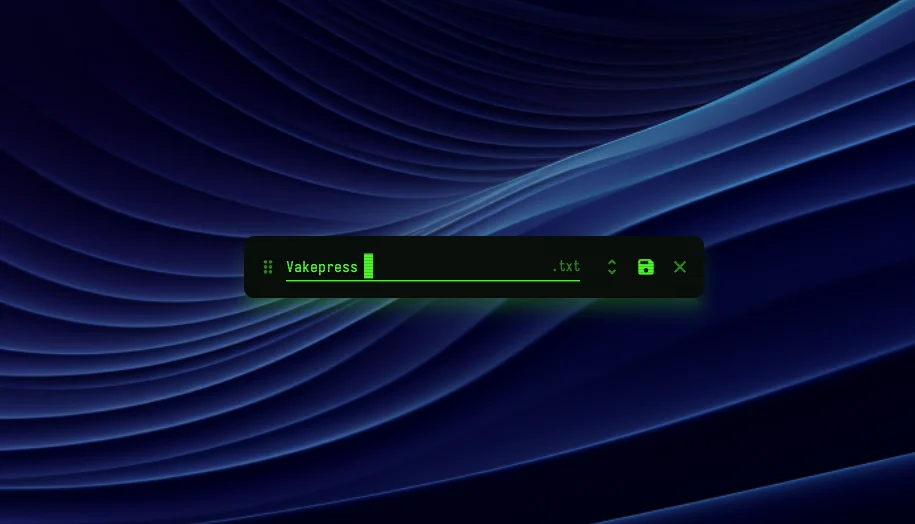
No app to open, no window to hunt down. A little dialog pops up and suggests the file name, pulling it from the first three words of the text. Because the empty field is a small tax you pay every single time, and the first three words, almost always, are already the right name.
The two things I cared about

Saving a file is easy. But it’s in the details that you can tell whether something was thought through, or just happened to land there.

Peek before you save

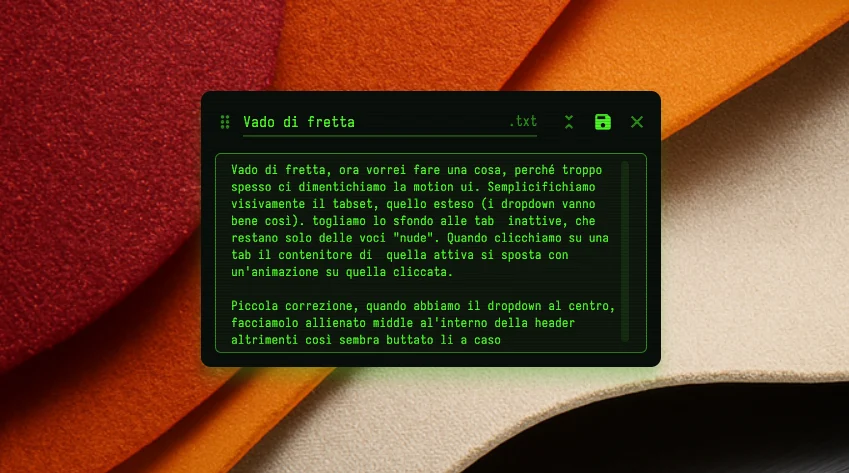
Before saving, I can take a peek at what I’m about to put on disk. And if I need to, I fix it right there, without opening anything else. What I see is what I save.

I’ve already got the file

Sometimes the file already exists. So I right-click on the file — a .txt, a .md — and the option becomes «Append clipboard to file»: the text gets tacked onto the end, with its own date. It’s not an extra feature, it’s the same idea applied to the «I’ve already got one» case.

>_ 8-bit world

Poetic license

And yes, I’ve got a bit of a thing for the ’80s. Green phosphor, terminal type, the block cursor. It served no purpose, but I have no regrets: a tool you use every day, you might as well enjoy looking at.

One gesture less, a thousand times over

It’s no great piece of software. But in next to no time a micro-app came to life that took a bit of stress off me and, while it was at it, saved me some time too.

Who knows — maybe one day I’ll put it on the stores, so I can spare the next person a little stress as well.

What do you say? The small everyday needs — do you put up with them, or do you take a second to solve them?